
Dotdigital Easter eggs: What you didn’t know we could do

Some of the most powerful things Dotdigital can do are hiding in plain sight. Not because they’re hard to find, but because when you’re in the zone, you stick to what you know, and never quite find the time to go exploring what automation platforms can do.
Consider this your permission to go on an Easter egg hunt! We’ve rounded up Dotdigital’s top features that often fly under the radar but will help you get campaigns up and running faster.
Get campaigns out the door faster
Keep your messages sounding just like you
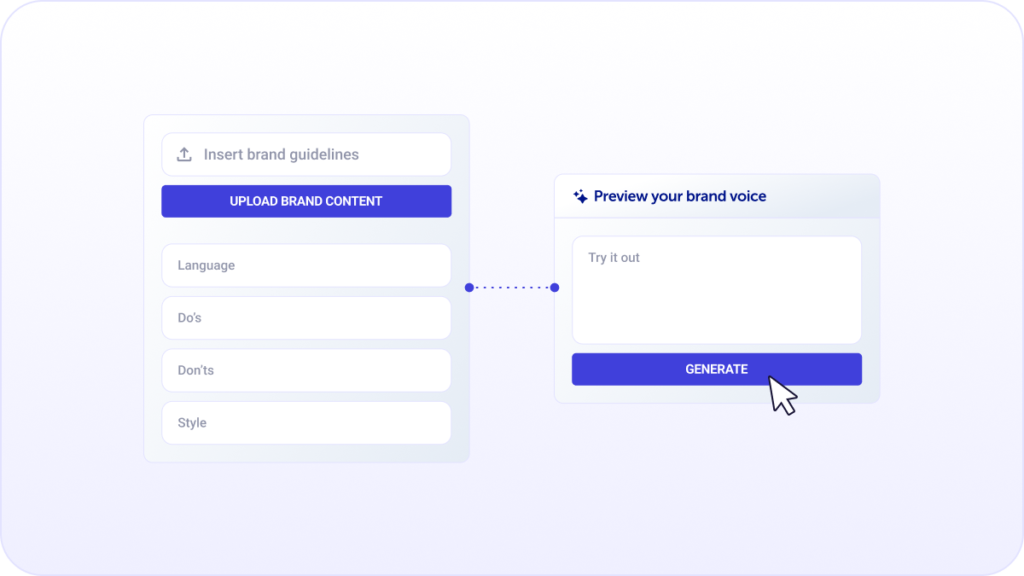
Generic AI copy is easy to spot, and marketers are usually the first to call it out. The good news is that Dotdigital’s WinstonAI doesn’t have to sound generic. You can train it on your brand‘s verbal identity, so it sounds authentic. All you need to do is upload your guidelines, share examples of content you’re proud of, or just answer a few questions about your writing style and from there, it writes and checks your campaigns so they always sound like you.
For a brand with a sharp, distinct tone that’s been spending more time editing AI drafts than using them, this is a big turning point. When first drafts start sounding right, the editing gets lighter, and the content actually feels like it came from your team, helping you get campaigns ready to send faster.
Fix links after you’ve sent a campaign
Sending a campaign to thousands of people and realizing something is wrong is one of the most stressful parts of the job. Dotdigital’s link manager takes most of that stress off the table.
With Dotdigital’s link manager, you can:
- Check links before you send: catch any broken or incorrect URLs upfront
- Update links after sending: fix mistakes quietly without bothering your audience
- Keep your links accurate: like CTAs pointing to last season’s sale instead of your new collection
Edit images without leaving the platform
Chasing down a designer to make last-minute image changes can be a real roadblock when you’re trying to get a campaign out, fast. The good news is you probably don’t need to. Dotdigital’s image manager has a full editing suite built right in, so you can crop, resize, apply filters and add text overlays yourself without leaving the platform.
It also makes it easy to apply big changes without factoring in additional admin time. For example, you can update an image’s alt text in the manager, and it carries over to every campaign where that image appears. So if you’ve used the same hero image across multiple sends, you’re not hunting them down one by one.
And finding the right image in the first place is easier than you’d think, too. The image manager uses WinstonAI to search based on what’s actually in your images and not just the file name someone gave it. Search for “Easter,” and it’ll pull up every Easter-themed image in your library, even the ones that got saved as “IMG_4823” and never renamed. So, when a last-minute seasonal campaign lands on your desk and you need a specific shot fast, you can search by scene, find it, make your edits and drop it straight into your campaign.
Turn an email into an SMS in one click
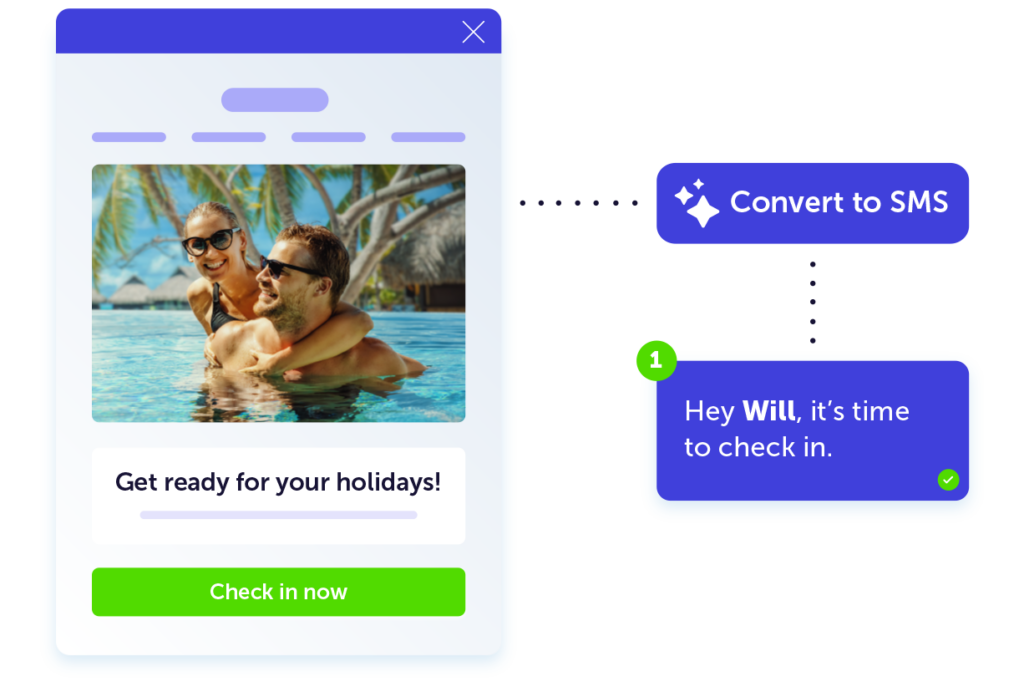
Whether you’re testing SMS as a marketing channel or your boss wants an SMS version of your top-performing email by the end of the day, Dotdigital’s one-click email to SMS tool helps you get up and running faster.
After all, starting from scratch is the last thing you need when your to-do list keeps growing. WinstonAI, Dotdigital’s built-in AI, reads your email, strips it back to what matters and suggests SMS copy that matches your original message, all in a single click.
So, next time your Black Friday email is done and approved, and you need to build an SMS touchpoint to catch anyone who misses the email, WinstonAI is on hand to draft it in seconds. All that’s left for you to do is tweak, approve and move on.
Personalize with confidence
Skip the awkward merge tag fail
“Hi {First_Name}” is the kind of thing that ends up screenshotted in a very unforgiving LinkedIn post. It happens when personalization data is missing, and there’s no fallback in place. Using Dotdigital’s dynamic content blocks can safeguard your campaigns against this. By adding dynamic content blocks to host your personalized content, you can ensure customers see content when you have the data and skip it gracefully when you don’t.
That means a repeat customer gets “Hi Jenna,” while a brand-new sign-up whose name you haven’t collected yet gets a greeting that reads just as warmly, without a broken placeholder in sight. It’s a small thing that makes a big difference to how polished your campaigns feel.
Segment without a preference center
Building a preference center takes time, and you’ll have a handful of subscribers who never fill it in anyway. But you don’t always need one to send relevant, targeted content (though, of course, it’s super useful in the long run). Dotdigital’s link groups and campaign tags let you build segments based on what people actually do, like the links they click, the campaigns they engage with, rather than waiting for them to tell you what they’re interested in.
A charity wanting to reach supporters most likely to respond to a fundraising appeal, for example, could group donation links across recent campaigns and build a segment of contacts who clicked more than once. No preference data is needed; it simply uses real subscriber behavior to help you reach the right person with the right message.
Find more customers like your best ones
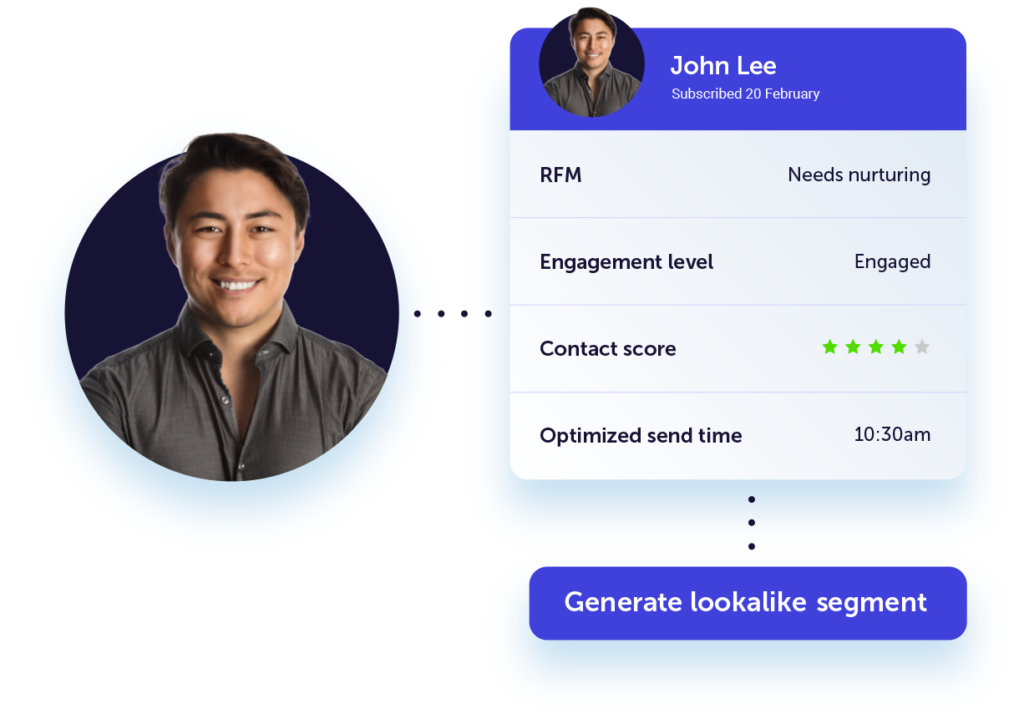
When you come across a contact who represents exactly the kind of person you want more of, you don’t have to manually recreate their profile in a segment builder. You can generate a lookalike segment based on them with a single click, putting Dotdigital’s WinstonAI to work.
So, if your highest-value customer has a specific combination of purchase history, location and engagement behavior, a segment of customers who share those attributes will be ready to use in seconds. This makes sure your high-value campaigns reach the right people every time.
Reach more people, in more places
WhatsApp: the channel your customers are already on
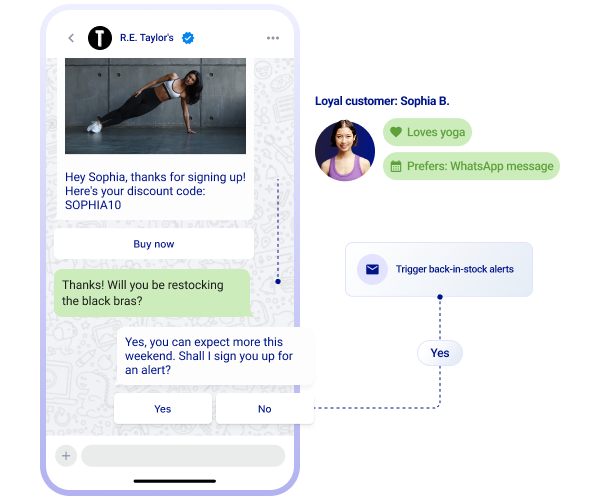
WhatsApp is available in Dotdigital and gives you more ways to connect with your customers than you might expect. You can reach 180 countries with rich two-way conversations and no character count restrictions, and all managed from the same place you run the rest of your marketing channels.
For brands sending time-sensitive updates, like travel companies, this makes a real difference. Booking confirmations and trip reminders land on an app customers already use every day. Response rates go up, and the volume of inbound customer service queries tends to go down as customers have immediate and easy-to-find access to the information they need.
Two-way SMS: the conversation doesn’t have to end
Most marketers know Dotdigital does SMS. It’s a powerful channel we’ve been giving marketers since 2017. Fewer realize it goes both ways. You can view and reply to SMS responses directly inside Dotdigital, in the same place you manage your WhatsApp and chat conversations, so you’re not jumping between tools to keep track of who said what.
For example, a retailer running an SMS campaign that asks customers to reply with their nearest store for a personalized offer, that’s a meaningful difference. Instead of responses disappearing into a system nobody monitors, they land in Dotdigital alongside every other conversation. Your team can reply, route, and follow up without ever leaving the platform.
Find your favorite eggs
There’s a lot more where this came from. The best way to find your next favorite Dotdigital feature is to get curious and start clicking. If any of the features in this post caught your eye, your customer success manager can walk you through them, or explore the Dotdigital knowledge base to dig in yourself.