



Knowing what a great email looks like is one thing. Finding an email marketing platform that helps you send it, without your tech stack turning into an overcomplicated mess is another thing entirely.
There’s no shortage of platforms out there. The hard part is working out which one is right for your team, your goals, and the way you work day to day.
That’s what this guide is for. We’ll walk you through everything worth checking before you commit, so you can make a decision you won’t be disappointed with six months down the line.
We’ll show you how to:
1. Review your current email setup
2. Know what your email marketing goals are
3. Check ease of use
4. Compare automation and personalization features
5. Explore reporting and analytics
6. Review integration with your existing tech stack
7. A platform that grows with you
8. Compare support options and learning resources
9. Understand security and compliance
10. Compare pricing and what you get for it
11. Trial platforms before you commit
12. Get insights from real user experiences
13. See if it works for businesses like yours
Step 1: Review your current email setup
Bear with us here, this one sounds obvious, but you’d be surprised how many people skip straight to the demos without actually stopping to think about what they need. So, before you let someone tell you what your problems are, take a few minutes to figure out:
- Which parts of your current process work, and which make you want to scream?
- Where’s your time going? What feels repetitive with every send?
- What can’t you do right now that’s holding your results back?
- If you could fix one thing about your current setup, what would it be?
Step 2: Know what your email marketing goals are
Before you get dazzled by features in a demo, it helps to know what you and your team want to achieve. It might be getting more subscribers, improving engagement, or increasing revenue per send. The clearer you are on the outcome, the easier it is to pick the right platform.
Match your goals to the features that matter
Once you know what your goals are, it’s easier to spot which features will help deliver those results:
- Subscriber growth: sign-up forms, landing pages, easy segmentation
- Engagement: automated welcome series, drip campaigns, dynamic personalization
- Retention: triggered emails, loyalty integrations, win-back campaigns
- Efficiency: drag-and-drop editor, reusable templates, agentic AI
- Revenue: ecommerce integrations, dynamic product recommendations, conversion tracking
Think short-term and long-term too
What you need today might look very different from what you’ll need in 12 to 24 months. Maybe right now it’s email newsletters, but soon you might want to add:
- Transactional emails
- SMS and MMS
- Advanced personalization
- Social retargeting
Picking a platform with room to grow saves you from having to do all of this again in two years.
Step 3: Check ease of use
Nobody wants to file a ticket just to change a subject line. You need a tool your team can pick up and use from day one, instead of waiting on developers or long onboarding processes.
Look for:
- A platform your team can learn and use quickly
- Drag-and-drop tools and ready-made templates that help you get campaigns out faster
- Automation builders that make it easy to create and manage customer journeys
When a platform is easy to use, your team can work faster and with more confidence. You’ll spend less time solving problems and more time creating campaigns that drive results.
Quick tip:
Don’t just try a demo – get hands-on experience with the platform. You’ll learn more from a twenty-minute trial, creating campaigns and building segments, than any feature comparison chart.
Step 4: Automation and personalization
The best email marketing does two things well. It gets the right message to the right person at the right moment without anyone having to manually manage every step. And when it lands, it feels like it was written just for them rather than fired out to everyone on your list.
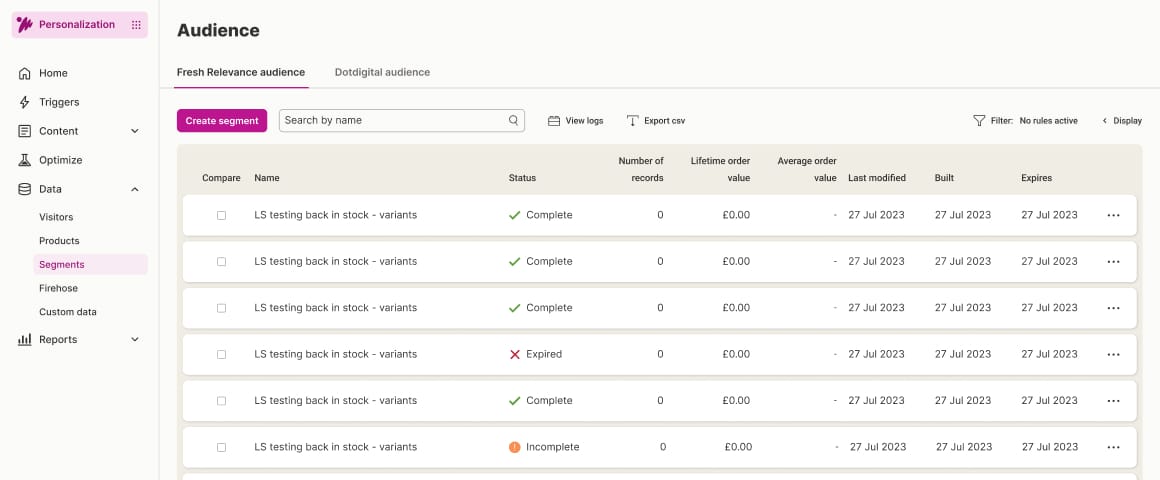
Here are some things to look for:
- Automated journeys for welcome emails, abandoned carts, or win-back campaigns
- Behavior-based triggers and dynamic content, tailored to the individual
- AI that suggests what to send, who to send it to, and when they’re most likely to open it
The more tailored the email, the better it performs. Automation saves time, while personalization makes emails relevant and thoughtful, helping your brand stand out in crowded inboxes.
Quick tip:
Map your most common campaigns and customer journeys to see if the platform can handle them out of the box or with minimal setup. If it can’t handle your everyday marketing, then it’s probably not the right fit.
Step 5: Reporting and analytics
You’ve sent the campaign. Now comes the fun part, with you, staring at a spreadsheet on a Monday morning, trying to work out if it actually worked. Sound familiar?
Good reporting shouldn’t feel like detective work. The right platform gives you a clear picture of what’s working, what isn’t, and what to do differently next time, without you having to piece it together from five different places.
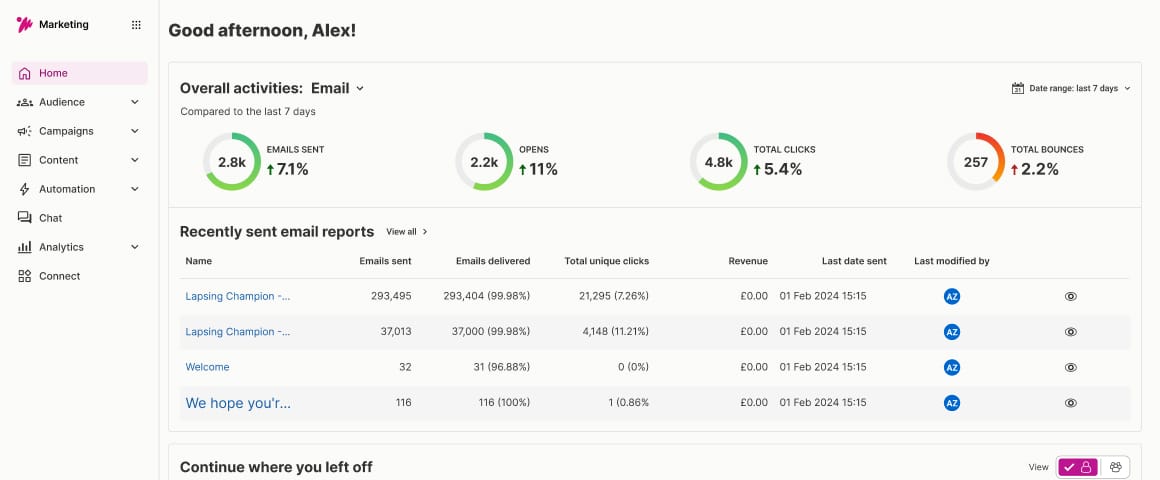
Look for dashboards that go deeper than just opens and clicks. You want to be able to drill down into segments or individual campaigns, run A/B tests, and track conversions, so every send makes the next one a little better.
Step 6: Integration with your existing tech stack
If your email marketing platform can’t talk to your CRM, ecommerce platform, or analytics software, you’ll end up having to carry out data uploads yourself, which is how everyone wants to spend their Friday afternoons – said no marketer ever!
Strong integrations make sure your data stays clean, workflows run smoothly, and campaigns perform reliably. Look for native integrations in the email marketing platform or strong APIs that let you sync contacts, trigger automated emails, and pull in performance data without someone in your team becoming a part-time data engineer.
Quick tip:
Make a map of your current tech stack and check that any new email marketing platform can integrate with your most important systems first.
Step 7: A platform that grows with you
Your email needs today might not be your email needs in 18 months. A platform that grows alongside you makes sure you’re not re-platforming again when you buy new marketing tech.
Look for a platform that can handle:
- A growing marketing list without sudden price jumps
- Adding new channels like SMS, push notifications, or transactional emails
- Managing multiple brands or accounts from a single platform
Flexibility matters here, too. The best platforms let you change your workflows, templates, and campaigns as your strategy shifts, so your team can stay agile and responsive.
Quick tip:
Check how easily it grows as your needs change, whether that means upgrading your plan or adding new features.
Step 8: Customer support that feels human
Every platform will tell you its support is great. But there’s a big difference between a chatbot pointing you at a help article and a real person who understands your setup, your goals, and what you’re trying to fix.
Look at what’s included beyond the email marketing software itself. That might be live chat, email or phone support, onboarding sessions, training materials, or an active community of users. Fast, human support in your time zone is just as valuable as a help center.
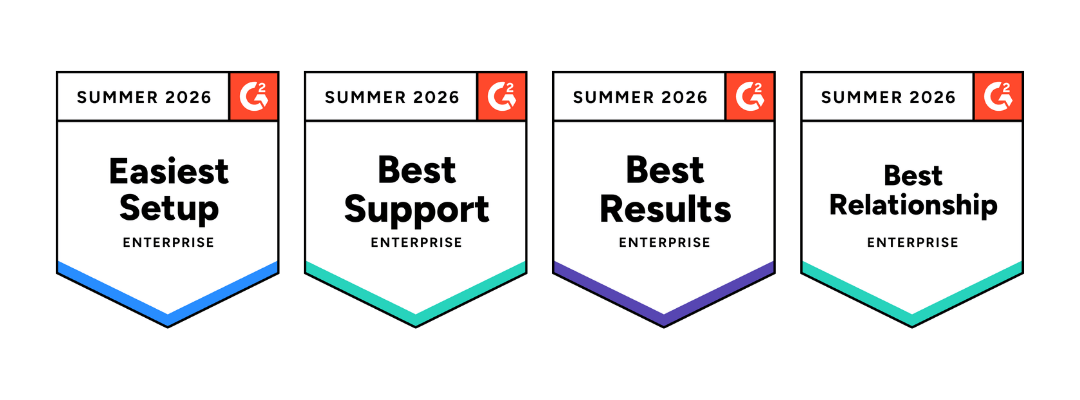
Also, check out third-party review sites to see how other marketers rate the platform’s support. Consistent praise for responsiveness and expertise tells you even more about your prospective email marketing provider.
Step 9: Look at security and compliance
You already know data privacy matters. What’s less obvious is that not every platform makes it easy to stay on top of GDPR, CPRA, or other regional compliance requirements.
A platform that takes security seriously protects your data, reduces risk, and lets you focus on running campaigns instead of worrying about compliance or having 2 am panics about data breaches.
Check for real security certifications like:
- ISO 27001 or SOC 2 compliance
- SSL encryption for data in transit
- Routine security audits
- Two-factor authentication for your team
Step 10: Compare pricing and what you get for it
Pricing varies widely between email marketing platforms. Some charge based on contact volume, others by feature tier, and some by both. Always read the fine print.
Check what’s included in each tier. Are key features like automation, segmentation, or reporting locked behind higher plans? Costs will rise as your list grows or you add channels. That’s normal. What matters is whether the growth in cost feels predictable or like a trap door.
Watch for extras like:
- Add-on fees for advanced features
- Charges for additional users or accounts
- Premium support costs
- Overage fees if you exceed send limits
The goal isn’t to pick the cheapest platform. It’s to choose one that gives you room to grow and delivers clear value for the results you expect from email marketing.
Step 11: Trial email platforms before deciding
Once you’ve made your shortlist, it’s time to try them out. Most email marketing platforms offer demos or free trials, so take advantage of them.
While you’re in there, test the stuff you’ll do every week, like:
- Building and sending campaigns
- Setting up automated journeys
- Connecting to your existing tools
- Pulling reports and presenting dashboards
Get your team involved, too, especially if they’ll be using the platform daily. They’ll spot any friction points you miss, before you’ve signed anything.
Step 12: Get insights from real user experiences
Demos show you the best-case scenario. Real user reviews show you how people are using the platform day-to-day, how reliable it is, and what support feels like in real situations.

Skip the star ratings and read comments about things like:
- Ease of use once you’re past onboarding
- Whether it holds up on high-volume send days
- What is support like when something breaks
- Whether updates and new features actually help
- Any common pain points that show up again and again
Third-party sites like G2 or Trustpilot are good places to start. Patterns across reviews tell you more than any five-star post, and they’re a lot more honest than a sales deck.
Step 13: See if it works for businesses like yours
Not every email marketing platform is built for the same kind of business. Some are made for ecommerce brands sending high volumes of promotional emails. Others fit B2B teams running long sales cycles and slow-burning nurtures.
Look at case studies and customer stories, and see whether those businesses resemble yours in size, structure, or goals; not just industry.
It’s also worth checking:
- Whether the platform supports your specific use cases
- If it plays well with tools common in your industry
- How it handles the kind of data you rely on
- Whether multi-brand or multi-region support is available if you need it
One last thing before you go
We should probably mention that Dotdigital is an email marketing platform too. And not to toot our own horn, G2 has ranked us #1 for email marketing, and recognised us as a regional leader for 13 categories across EMEA, APAC, and the Americas, based entirely on reviews from marketers like you.

Here’s what many teams value most:
It’s easy to use
You can build emails, segment audiences, and launch campaigns without relying on developers. The interface is designed to feel easy, so your team can move quickly and confidently.
It connects with your existing tech stack
Whether you’re syncing CRM data or pulling in ecommerce insights, Dotdigital integrations are straightforward. With no more data silos, you can put your data to work faster.
It grows with you
As your contact list grows or your strategy expands into new channels, Dotdigital grows with you. You can manage multiple brands or accounts from our single platform and adapt as your needs change.
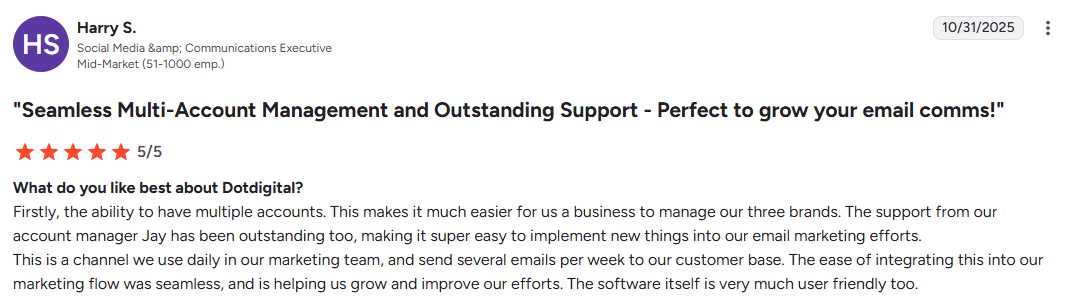
Support that feels human
From onboarding to ongoing optimization, you get support that’s tailored to your business goals. You’re not left alone, trying to figure it out.
Security and compliance built in
Dotdigital is built to help you feel confident about data protection. Things like strong safeguards and alignment with data privacy regulations mean customer data is safe and secure.
