



Research from Dotdigital’s Secret lives of marketers report found that prompt writing is one of the biggest reasons AI slows marketers down. 40% point to learning how to use the tools, and 38% to writing or iterating on prompts.
The good news is that prompting is a skill you can pick up fast. It’s less about finding a magic phrase and more about giving clear, specific direction, the same way you’d brief a new team member on a task.
This post covers the habits that make any agent prompt more reliable, then shows how they play out in two agents built into Dotdigital: Segment Agent and Content Agent.
Why prompting matters
An AI agent isn’t a mind reader. It only has two things to work with: the instructions built into it and whatever you type. If your prompt is vague, the agent has to guess what you mean, and a guess is only ever going to be a guess.
This matters more with AI agents than with a general chatbot. A chatbot will go along with almost any request. An agent usually has one job, like building a segment or drafting an email, and it works best when you ask for things specific to that task. Ask it to go outside that lane, and you’ll get a workaround at best, or nothing useful at worst.
Five habits that make any prompt more reliable
1. Say exactly what you mean
A vague request forces the agent to fill in the gaps, and it won’t fill them in the way you would. “Find my best customers” means five different things depending on the day. “Contacts who’ve bought more than three times in the last 90 days” means one thing. Give the agent conditions, values, and dates it can act on, not ideas it has to interpret.
2. Build it in steps
You don’t need the perfect prompt on the first try. Get one part right, check it, then add the next. Most agents are built for back-and-forth conversation, and a series of small, correct steps beats one long prompt trying to do everything at once.
3. Use your real field and list names, not general terms
If your data has a field called “Loyalty tier” or a list called “VIP customers,” say that, not “important customers.” Agents built to work in your marketing platform are designed to match what you type to your account data, but they can only match what’s there. The closer your wording is to your real fields, the less room there is for a wrong guess.
4. Check the output before you use it
An agent can build something fast, but fast isn’t the same as correct. Read through the logic, the copy, or the rule it’s generated before you rely on it. Treat it like a first draft from a new team member: useful, but yours to sign off on.
5. Ask it to explain itself
If a result looks complicated or you’re not sure it did what you asked, ask the agent to summarize what it built or walk you through its reasoning. It takes ten seconds and catches a wrong assumption before it goes anywhere near production.
What does this look like inside Dotdigital
Dotdigital has two agents where these habits make a real difference. Segment Agent helps you build and edit audience segments, and Content Agent helps you draft and check email copy inside your email builder. Here’s what applying these habits looks like in each.
Segment Agent
Segment Agent builds and edits segments from a plain-language request and can summarize the logic in a segment you already have. It’s designed to match field and list names to your account data even if your wording is a little off. For best results, be specific and build your segment gradually rather than describing a complex segment in one go.
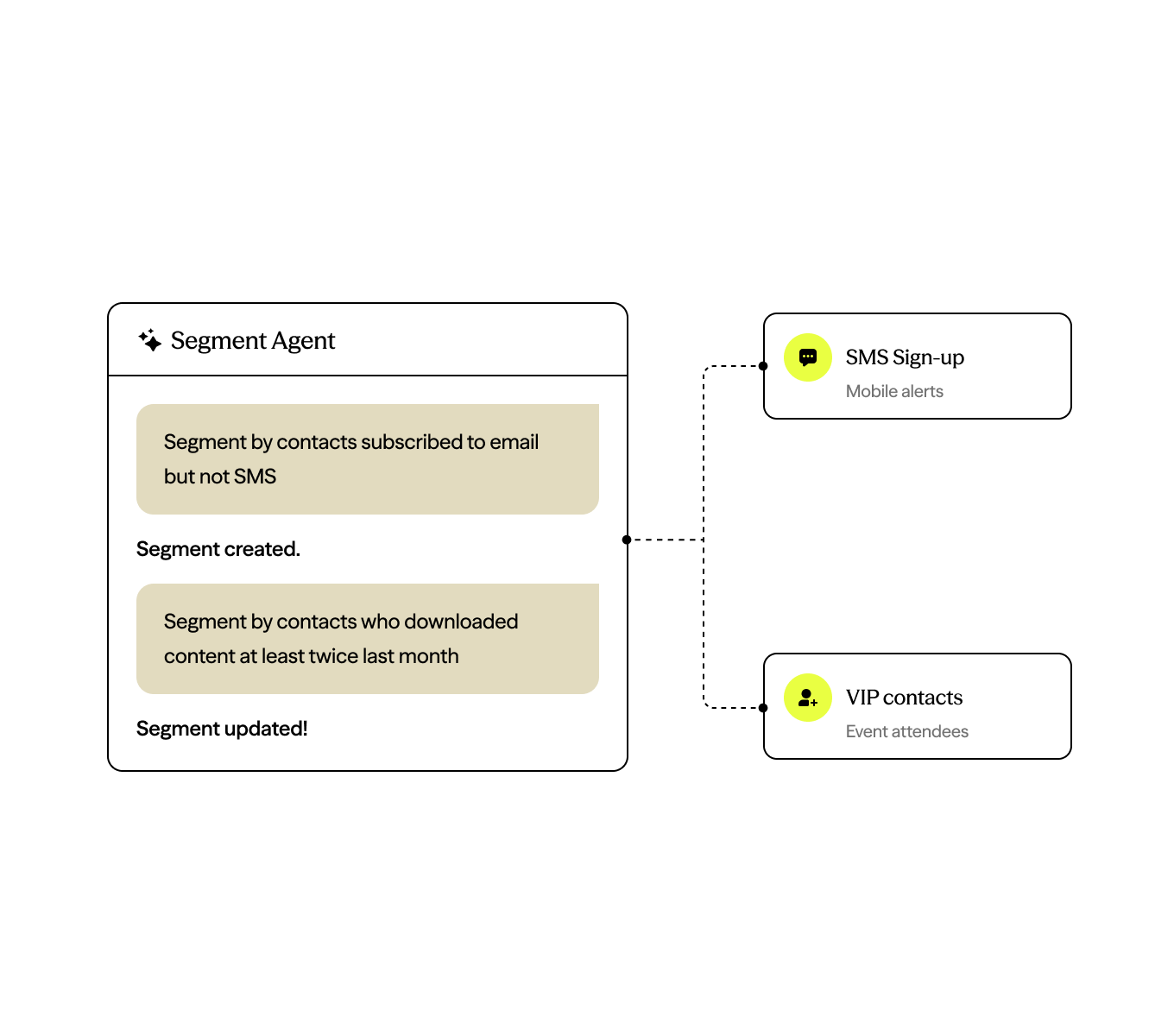
Start simple:
- Create a segment of contacts subscribed to email
- Build a segment of contacts whose country is the UK and who are subscribed to email
Then refine with follow-ups:
- Also include contacts subscribed to SMS
- Exclude contacts who purchased from any catalog in the last 30 days
- Limit this segment to contacts in the VIP list
Once it’s built, check your work:
- Summarize this segment.
- What rules are being used in this segment?
Worth knowing: Segment Agent is a doer, not a brainstormer. It won’t suggest ideas or scan your data to surface new segments, and it won’t tell you how many contacts match until the segment runs. But bring it a clear idea, and it’ll bring it to life and build it fast.
Content Agent
Content Agent lives inside our email builder and helps with the copy itself: brainstorming angles, drafting a first version, tweaking tone or length, checking a draft before you send, adding personalization, and generating or editing images. Nothing it produces goes into your campaign until you’ve reviewed and approved it.
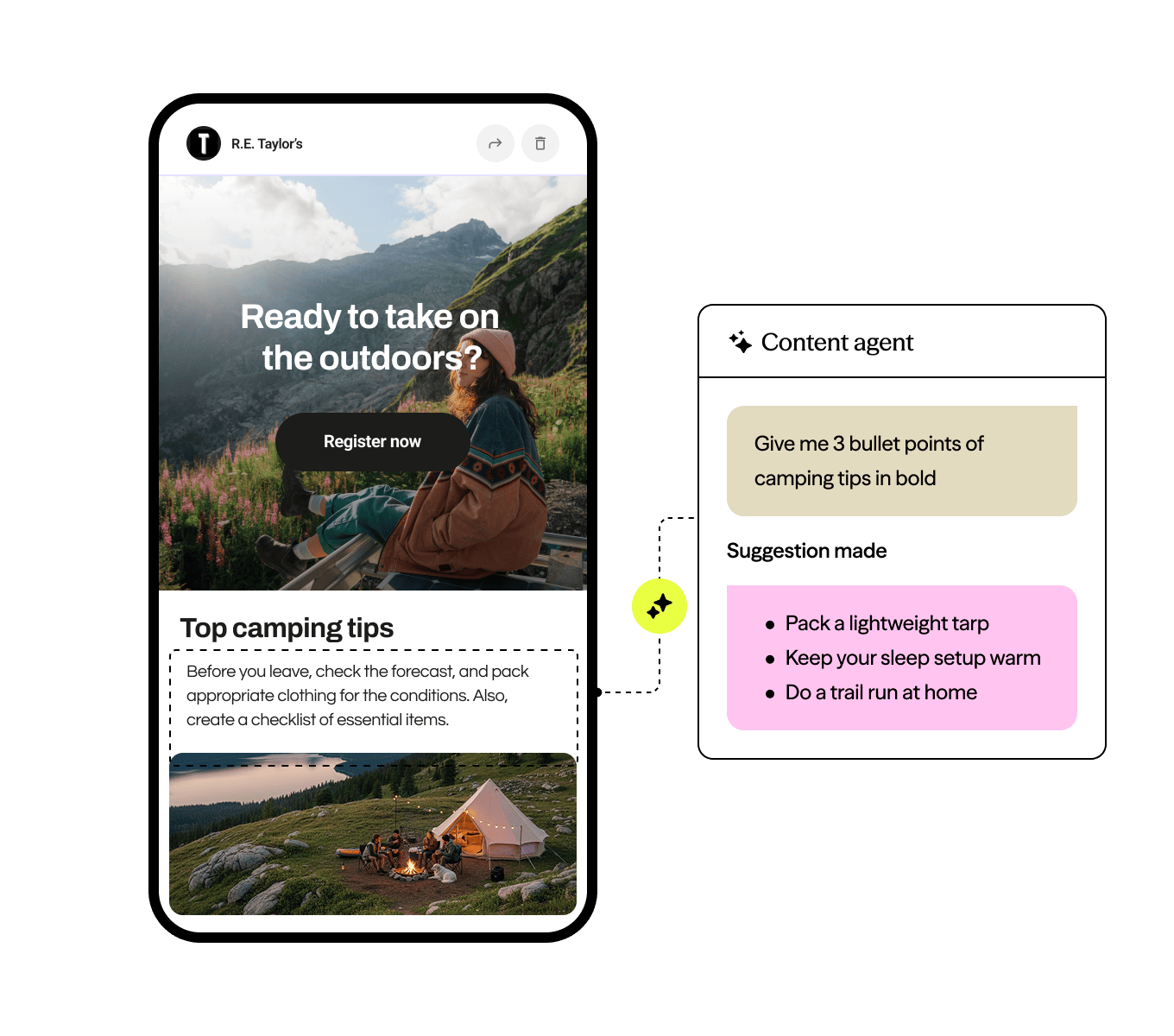
The same habits apply. Start specific:
- Brainstorm ideas for a “we miss you” email after 90 days of inactivity
- Draft a paragraph explaining the benefit of signing up
Refine rather than starting over:
- Change the tone of the email to be friendly but not overly familiar
- Shorten this paragraph to two sentences
And use it to check your own work, not just generate new copy:
- Check my email copy against my brand voice
- Check whether this paragraph is too salesy for our brand voice
For the best results, set up your brand voice details in your Dotdigital account first. The more Content Agent knows about how your brand sounds, the less editing you’ll do later.
Start small, then build the habit
Treat AI agents like a new team member. Give them specific tasks, clear direction, and simple, step-by-step explanations, then check in before moving on.
Pick one prompt from this list and try it for yourself. These habits become second nature fast, and that’s how prompt writing goes from something that slows you down to something that helps you get through your to-do list faster.
