



It’s easy to delay buying new tech, even when you’ve outgrown the platforms you currently use, due to the time and risk associated with migrating software. But A fresh start is exciting, and with the right plan and a structured approach, switching platforms doesn’t have to be complicated.
Here’s how to migrate your marketing software in five simple steps.
1: Planning and strategy
Planning is the part of the project that makes everything else go smoothly.
Define your migration goals
Before diving into the technical stuff, it’s best to take a moment to think about why you’re switching. Maybe you’re:
- Looking for better automation
- Trying to cut costs
- Struggling with deliverability
- Need certain integrations that your current platform doesn’t support
Whatever your reasons, writing your goals down gives you a clear direction for the migration, helps you choose the right platform, and makes it easier to prioritize as you go.
Audit your current setup
It’s worth taking stock of everything you’re working with before you start moving things across.
Here’s what to cover:
- Email lists and segmentation: Note down all your active email lists, how you’ve segmented them (by persona, engagement, purchase history, etc.), and any tags you’re using
- Assets: Pull together all your templates, reusable content blocks, landing pages, and sign-up forms
- Mapping automations: Document all your active workflows, such as onboarding sequences, nurture campaigns, and re-engagement workflows. Note the triggers, logic, timing, and steps involved in each. Screenshots or flowcharts can be really handy here
- Key metrics and data: Work out which performance data (conversion rates, engagement scores, pipeline data, list growth) you’ll need to benchmark against after the migration
- Integrations: List every tool connected to your current platform, like your CRM, ecommerce platform, analytics software, or any customer data platforms (CDPs). Understanding how these connections work will make setting things up in your new platform much easier
Select your new marketing platform
Now that your goals are defined and your current setup audited, it’s time to find the right platform for you. Here are a few things worth considering:
- Features: Look for segmentation, automation, testing, and reporting tools that match your needs
- Ease of use: The interface should be easy to use for your whole team
- Pricing: The pricing structure should fit your budget and grow with you as your needs change
- Growth: The platform should be able to keep up as your business and contact lists grow
- Support: Look for options like email, phone, chat, and even a dedicated Customer Success Manager. Check reviews to see what others say about their support experience, too
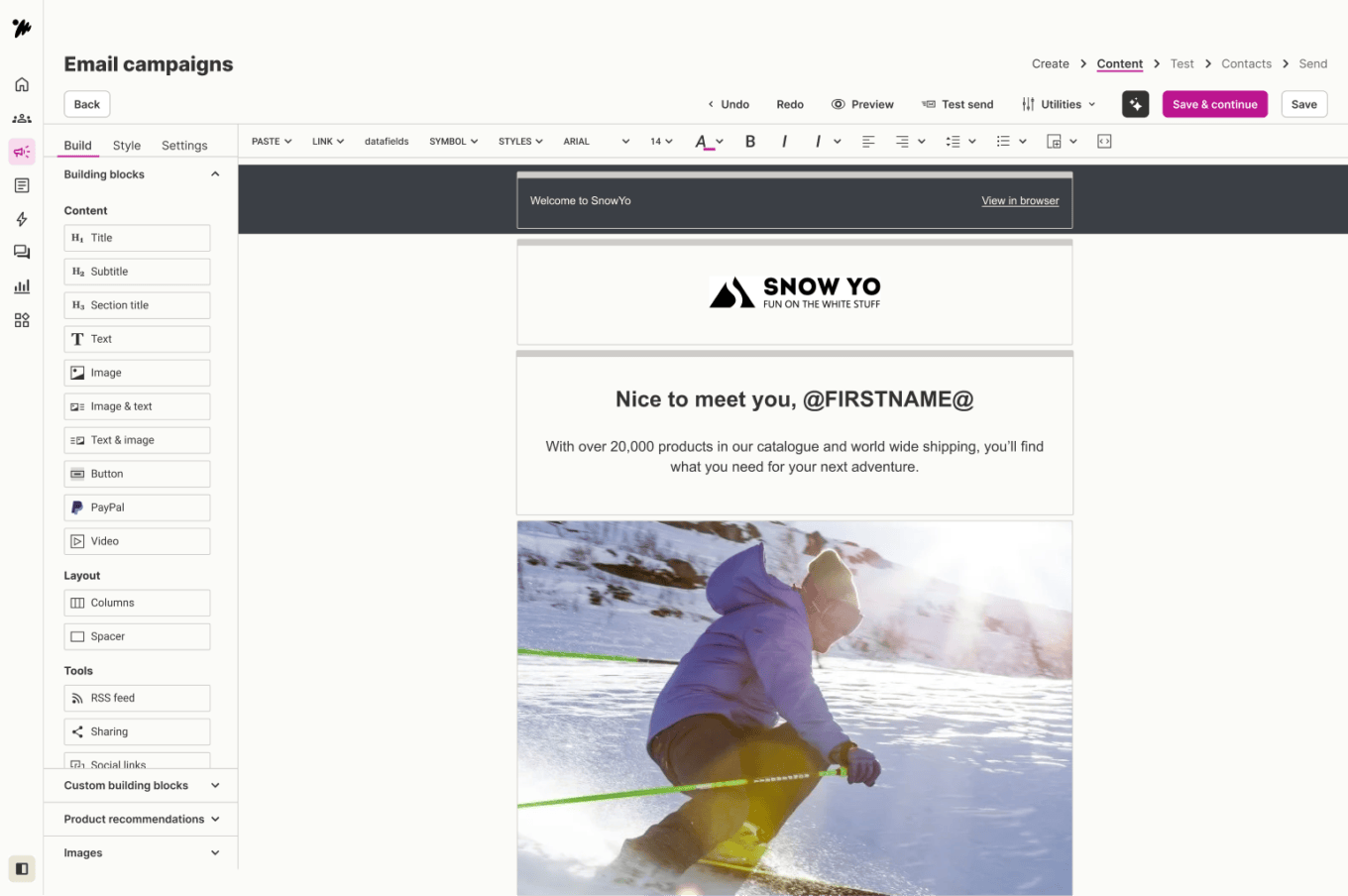
- Integration capabilities: The new platform should connect easily with your existing tools, like your CRM or ecommerce platform. If possible, ask for a demo or trial before committing
Set your timeline
A platform migration is a big undertaking, so having a practical timeline can be the best way to stay on track throughout the process. It’s worth breaking down the tasks from your audit, assigning them to the right people, and setting clear milestones along the way.
For example, your marketing manager might own the overall strategy, your platform specialist can handle rebuilding templates, and your IT team can take care of any technical changes like domain name system (DNS) updates. Regular check-ins help keep everyone on track and the project moving forward.
2: Pre-migration tasks
With your plan in place, it’s time to get your data and systems ready for the move. These steps are worth taking your time on; they’ll save you a lot of hassle later.
Clean your data
Good data hygiene makes for a much smoother migration. So, before exporting your contacts, review and remove things like:
- Duplicate or invalid records
- Contacts who’ve been inactive for 6-12+ months
- Anyone who’s opted out or withdrawn consent
- Outdated or incomplete contact details
Back up everything
Before you make the move, make sure everything is backed up. Once you leave your old platform, getting back in to get your data isn’t always straightforward.
- Contact lists: Export all your contacts, including any custom fields, how they’re segmented, when they opted in, and how engaged they are
- Opt-out records: Export anyone who’s withdrawn consent or opted out. This is important for staying compliant
- Templates and assets: Save the files for all your key templates and reusable content
- Automation logic: Take screenshots or create diagrams that show the structure and rules of your workflows
- Performance reports: Export past campaign data, contact growth stats, and any other reports you might need for future reference or benchmarking
Keep stakeholders in the loop
Keeping all the relevant people in the loop about the migration process and timelines lets everyone know what’s changing and when. That includes:
- Your marketing colleagues
- The sales team
- Your IT team
- Your customer support team
Good communication helps avoid surprises and keeps everything running smoothly.
Set up your new platform
Get the basics set up in your new platform before the migration begins, including:
- Setting up your account profile
- Adding your team members with the right permissions
- Filling in any company information the platform needs
Spend some time getting familiar with the dashboard and how everything is laid out.
Plan for IP warming (if applicable)
If you’re using a dedicated IP address in your new platform (rather than sharing one with other senders), you’ll need to warm it up first. This means gradually increasing your sending volume over a few weeks to build a good reputation with internet service providers (ISPs).
A good place to start is by sending to your most engaged contacts first. Most platforms will give you specific guidance and schedules for this, so follow their recommendations closely to avoid any surprises.
3: The migration process
All that planning pays off here. It’s time to start moving your data and rebuilding everything in your new platform. Take it one step at a time, and you’ll be up and running before you know it.
Import your contacts
Start by uploading your contact lists into your new platform. Take care to map your custom fields correctly so you don’t lose any valuable data. Import your opt-out records first to see if the platform can handle this, so you don’t accidentally send to contacts who shouldn’t be contacted. Once everything’s uploaded, double-check your contact counts to make sure nothing’s gone missing.
Recreate your assets
Now it’s time to rebuild the things your contacts see and interact with:
- Templates: Use your new platform’s editor to recreate your key templates. Rebuilding from scratch rather than importing old files gives you better compatibility and a chance to improve them while you’re at it.
- Sign-up forms: Recreate your sign-up forms and replace the old ones on your website and landing pages. Test them to check if new contacts are being added to your lists correctly
- Landing pages: If your old platform hosted any landing pages, rebuild them in your new platform or your website’s content management system (CMS)
Rebuild your automations and workflows
Your audit notes come in handy here. Use them to recreate your automated workflows in the new platform, paying close attention to triggers, delays, and any conditional logic so nothing gets lost in the move. A thorough test before anything goes live will give you peace of mind that everything is working as it should.
Set up your integrations
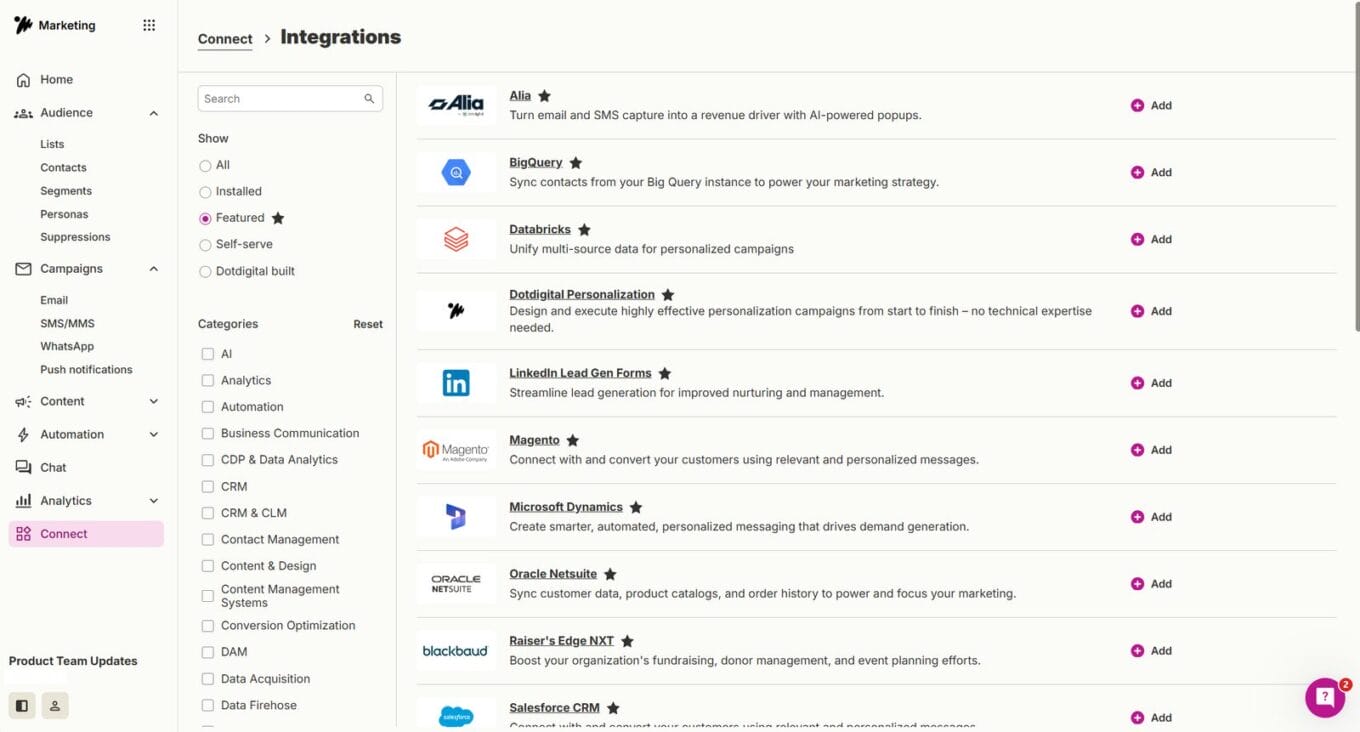
With your data and assets in place, it’s time to reconnect your new platform to the rest of your tech stack. This usually means setting up connections to your CRM, ecommerce platform, CMS, analytics tools, and any other relevant software.
Most platforms provide integration guides to help with this. Once everything is connected, test that your data is syncing correctly across all your tools.
Configure your authentication settings
This is more of a technical step, but an important one. Depending on your new platform, you may need to update your domain name system (DNS) records to confirm your platform has permission to send on your behalf. This can involve setting up sender policy framework (SPF), domain keys identified mail (DKIM), and domain-based message authentication, reporting & conformance (DMARC) records.
Your new platform will give you the exact values you need. Bear in mind these records can take up to 48 hours to update across the internet, though it’s often much faster.
4: Post-migration
The hard work is done, but you’re not quite finished yet. This next step is all about testing, keeping an eye on things, finalizing the move, and getting your team ready.
Test everything
Before you start relying on your new platform, it’s a good idea to take the time to check everything is working as expected, including:
- Run through your key workflows from start to finish to check that the logic, timing, and content are all correct
- Test all your forms and entry points to check new contacts are being captured correctly
- Check that data is flowing correctly through all your integrations
- Get a small group of internal users to test the platform and flag anything that doesn’t look right
Run your IP warming plan (if applicable)
If you set up an IP warming plan in the pre-migration phase, then now’s the time to put it into action. This is an important step because rushing your sending volume too soon can hurt your reputation with internet service providers (ISPs) and can impact your deliverability. Start with your most engaged contacts in small batches and gradually increase the volume following the schedule you created.
See how things are performing
The first few weeks after migration are important because this is when issues are most likely to appear. Keep a close eye on your key metrics, including:
- Data accuracy: Check that contact records, custom fields, and segmentation are all correct
- Engagement: Track how your contacts are interacting with your content compared to before
- Workflow performance: See if your automated workflows are firing correctly and delivering the right results
- Integration health: Keep an eye on whether data is syncing correctly across all your connected tools
Compare these numbers to your benchmarks from your old platform. If anything looks off, reach out to your new platform’s support team straight away.
Don’t switch off your old platform just yet
For a week or two after the migration, keep your old platform active as a backup. This gives you a safety net in case anything unexpected comes up. Run all your activities from the new platform during this time. Contacts getting duplicate communications or data falling out of sync is the last thing you want.
Only cancel your old platform when you’re confident that everything is working as it should on the new one, such as:
- Your data and assets have all moved across correctly
- Your integrations are up and running
- Your performance looks stable
- Your IP warming is complete (if that was relevant for you)
Get all your backups in place before you make the final call.
Get your team up to speed
Once everything is live, get everyone who’ll be using the new platform up to speed and feeling confident with it. Point them towards any help documentation, or set up training sessions with the platform vendor if they offer them. The sooner your team feels confident, the sooner you’ll start getting the most out of your new platform.
Before you start comparing platforms
If you’re still weighing up which platform to move to, here’s something that might help. G2 has ranked Dotdigital as a leader across 13 categories, based entirely on reviews from marketers who use it every day.
Here’s what those marketers consistently value most:
- Cross-channel marketing: Reach your customers across email, SMS, WhatsApp, and social media, all from one platform
- Personalization: Create dynamic content that adapts to individual customer behaviors, so every interaction feels relevant
- Reporting and insights: Get a clear picture of how your campaigns are performing and use that data to make better decisions
- Room to grow: Whether you’re a growing business or an established enterprise, Dotdigital is built to keep up with you
- People-first support: From onboarding to ongoing strategy, you’ll have access to a team of marketing experts, deliverability specialists, and customer success managers

Wherever you end up, the same advice applies
Switching platforms can feel like a race against the clock, especially when you’re excited about what’s waiting for you on the other side. But taking shortcuts here can lead to things like lost data, broken workflows, and a lot of unnecessary headaches.
Take the time to work through each step, test everything, and bring your team along with you. A well-planned migration sets you and your team up for long-term success, and the effort you put in now will show in your results.
